How to copy an onboarding flow you like, step by step
Words plagio team
Record the flow as you click through it, every screen saved whole, then let your agent rebuild the same steps with your own questions.
The problem. Onboarding is the part of a product people copy most and describe worst. You remember that it felt short, that each screen asked one thing, that the progress bar moved. Ask an agent to make yours "like Duolingo's" and it guesses at all of that.
What it needs is the flow itself: how many screens, what each one asks, how answers are laid out, where the button sits. That is what recording a flow saves.
Record it as you click through
- Open the flow. Go to the first screen of the onboarding you like, in Chrome, with the plagio extension installed.
- Start recording. Start a flow recording from the extension. There is nothing to select: each screen is captured whole.
- Click through as a user would. Answer each question and press continue. Every new screen is saved as a step, in order.
- Stop and name it. Stop when you reach the end. The flow lands in your library under the name you give it.
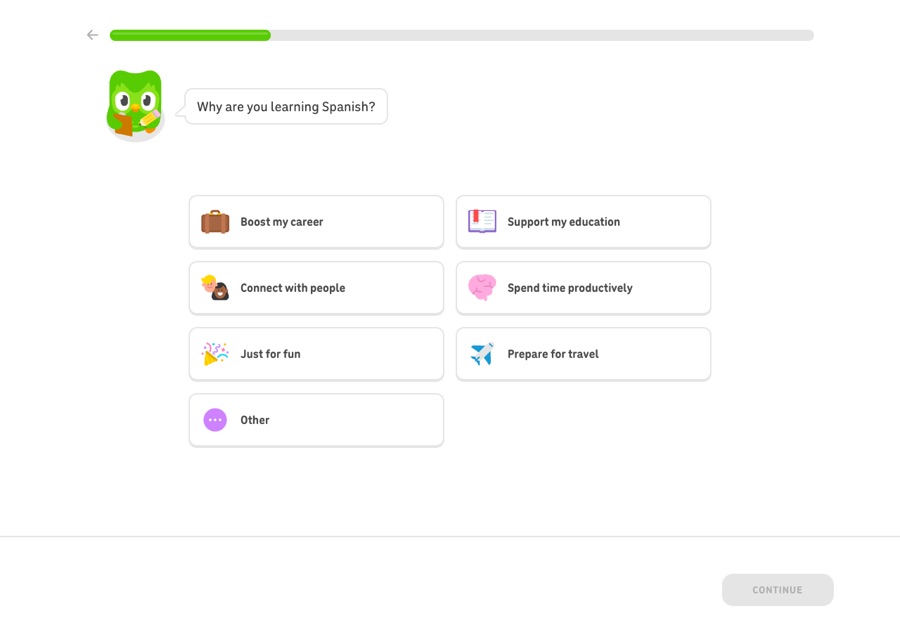
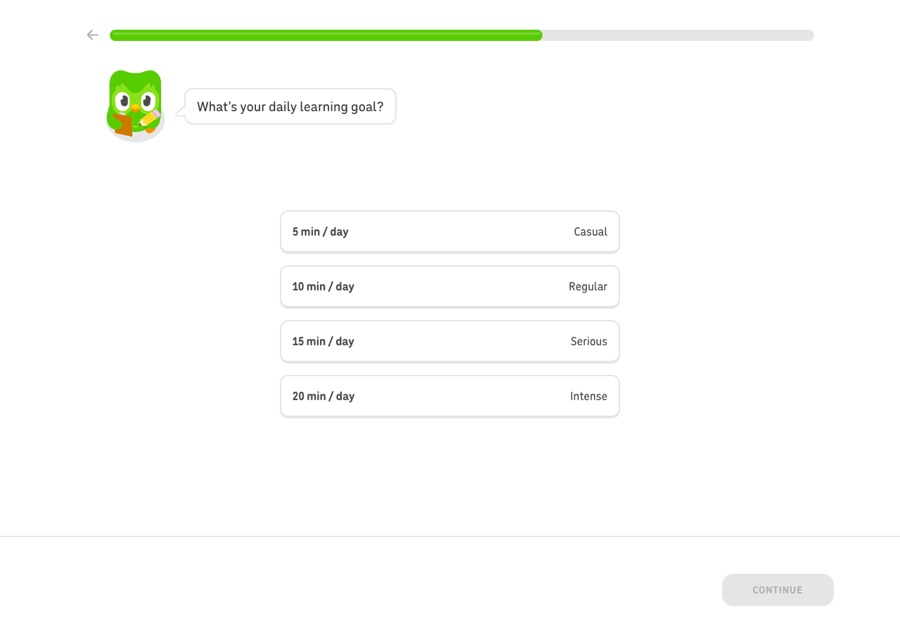
Duolingo's onboarding is a good one to learn from, and it runs before you create an account. It asks why you're learning, how much you know, your daily goal and where to start, one question per screen with a progress bar across the top.
Then ask your agent for it
In Claude Code, Cursor or any agent with plagio connected, ask for the flow by name:
Use my saved "Duolingo onboarding" and build the same steps into my signup,
with my own questions. Keep my brand.
The agent reads the flow with get_saved_capture, step by step, and builds the structure: one question per screen, the same kind of answers, the progress indicator, the button where it was. The words and the brand stay yours.
What stays private
Whatever you type while recording, and whatever identifies you, is left out of what's saved. That matters for flows behind a login, where the screens hold your own account.
Want something to record? Browse the pages in Discover, or check your own site first with the free check.
Questions people ask
Does it work for onboardings behind a login?
Yes. The extension records what your browser shows, so a flow inside an app you're logged into is recorded the same way. Typed values and personal details are left out.
Does the agent copy the other product's copy?
Ask it not to, and plagio's spec doesn't push it to: it's a description of structure and styles. Rebuild the steps with your own questions and words.
Sources, checked 5 November 2026
Names and products belong to their owners. Prices and features change: if something here is out of date, write to support@plagio.dev and we'll fix it.
Give your agent a real reference.
Start the free week